Credit monitoring and financial tools · 3 min read ·
A Credit Tool Chatbot That Explains the Service Without Guessing Your Score
Credit-monitoring visitors need to understand what a service shows, how to access it, and where to ask account questions. A chatbot can explain public product information without reviewing an individual credit file.
Discuss your credit monitoring and financial tools website →What a useful chatbot changes for credit monitoring and financial tools
A credit-tool visitor needs to know what the service offers and where account information is accessed. Your assistant should explain public feature definitions and support routes without inferring a score or reviewing a credit file. A clear navigation answer can remove friction without pretending to complete a personal financial assessment.
Keep monitoring scope, account access, and report enquiries distinct.
Clarify the feature
Explain the service accurately without promising every change will be detected.
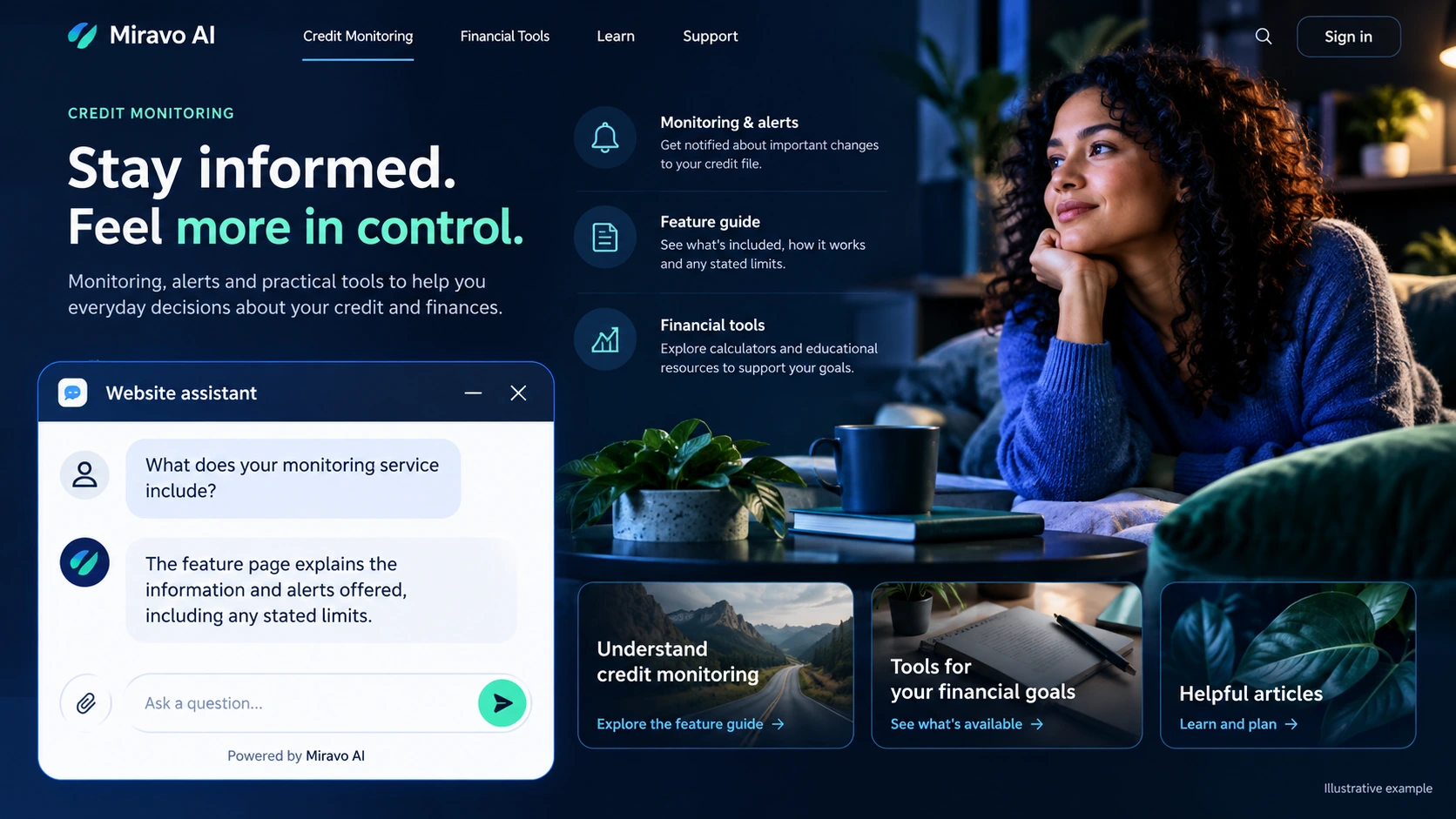
- Visitor
- What does your monitoring service include?
- Example assistant reply
- The feature page explains the information and alerts offered, including any stated limits.
Route an account question
Keep account access out of public chat.
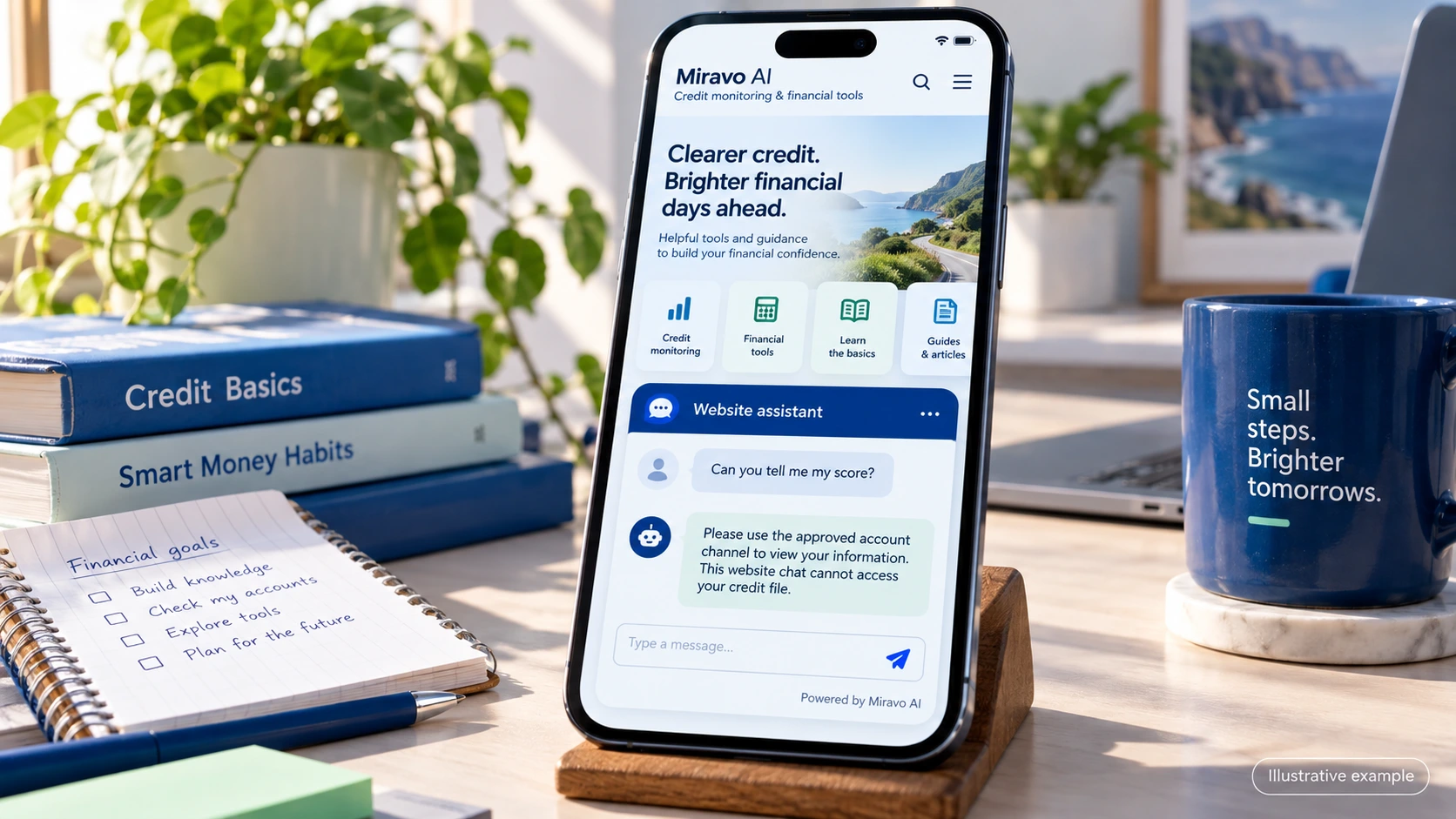
- Visitor
- Can you tell me my score?
- Example assistant reply
- Please use the approved account channel to view your information. This website chat cannot access your credit file.
Explain a correction route
A clear process is useful without promising a correction outcome.
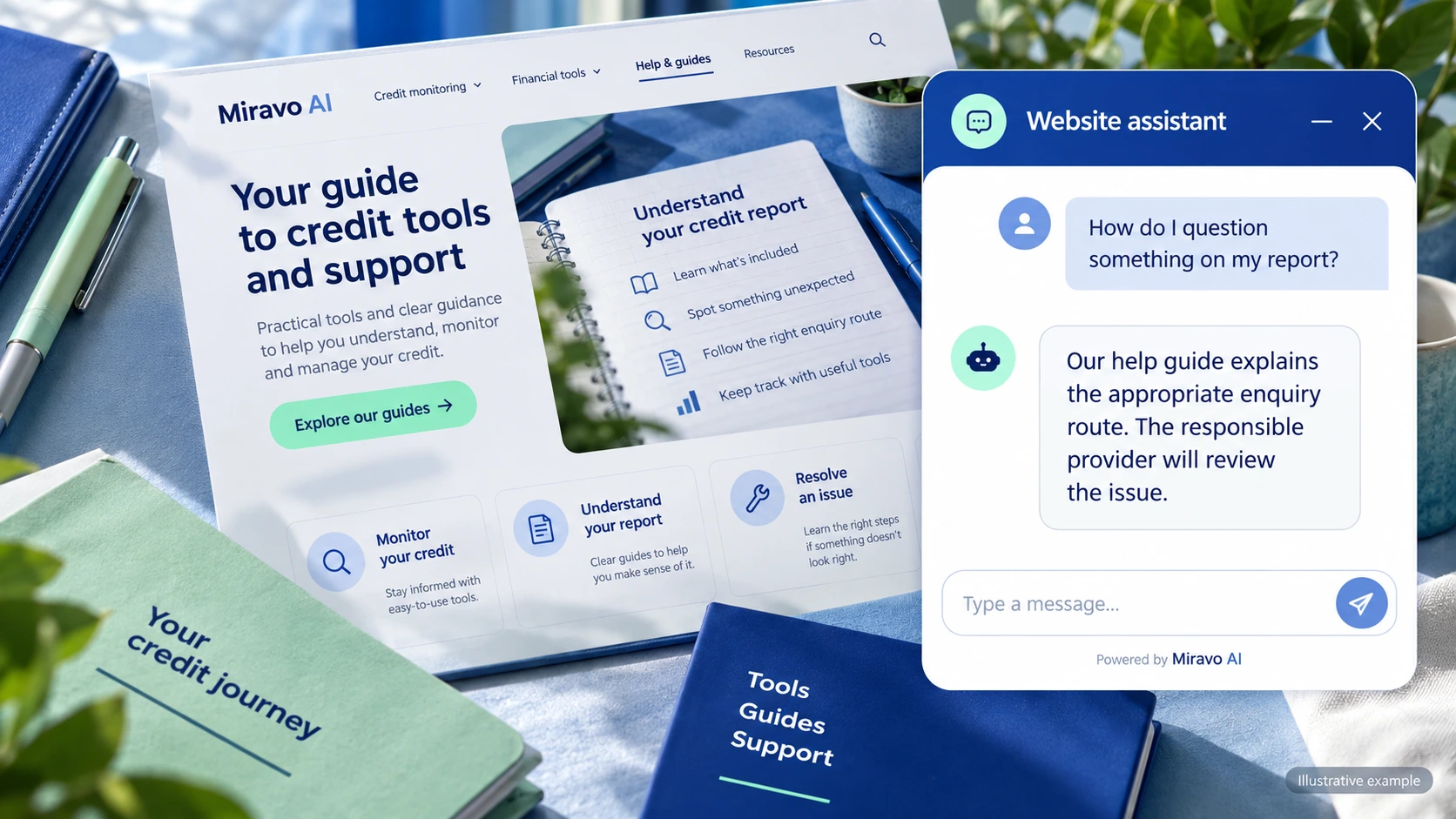
- Visitor
- How do I question something on my report?
- Example assistant reply
- Our help guide explains the appropriate enquiry route. The responsible provider will review the issue.
Build a knowledge base that answers real buyer questions
| Source to prepare | Question it should answer | Editorial review |
|---|---|---|
| Monitoring feature definitions | What does your monitoring service include? | Preserve the feature's stated limits when explaining alerts. |
| Account access instructions | Can you tell me my score? | Direct score access to the approved account channel. |
| Report enquiry process | How do I question something on my report? | Explain the report enquiry process without promising a correction. |
For source preparation, read how to train your chatbot on website content.
A review scenario before launch
Ask what a monitoring alert covers, then request a future score prediction and access to a personal report. The reply should distinguish feature definitions from account operations and preserve the approved report-enquiry route without promising a correction or score change.
- A score prediction
- A request for a credit file
- A guaranteed correction
Work through the pre-launch checklist before rolling out more pages.
How to judge whether the chatbot is helping
Track service-navigation questions and referrals to approved account support. Do not represent chat activity as improved credit outcomes.
Questions about a chatbot for credit monitoring and financial tools
Can it predict how a score will change?
Use public product information and the appropriate advice route. Do not infer an individual's future score from a short website conversation.