What Your Website's AI Chatbot Should Look Like in 2026
The 2019 chatbot widget on your site is losing you sales in 2026. Here's what a modern AI agent should do, what to kill, and how to evaluate one in 30 minutes.
By Miravo AI
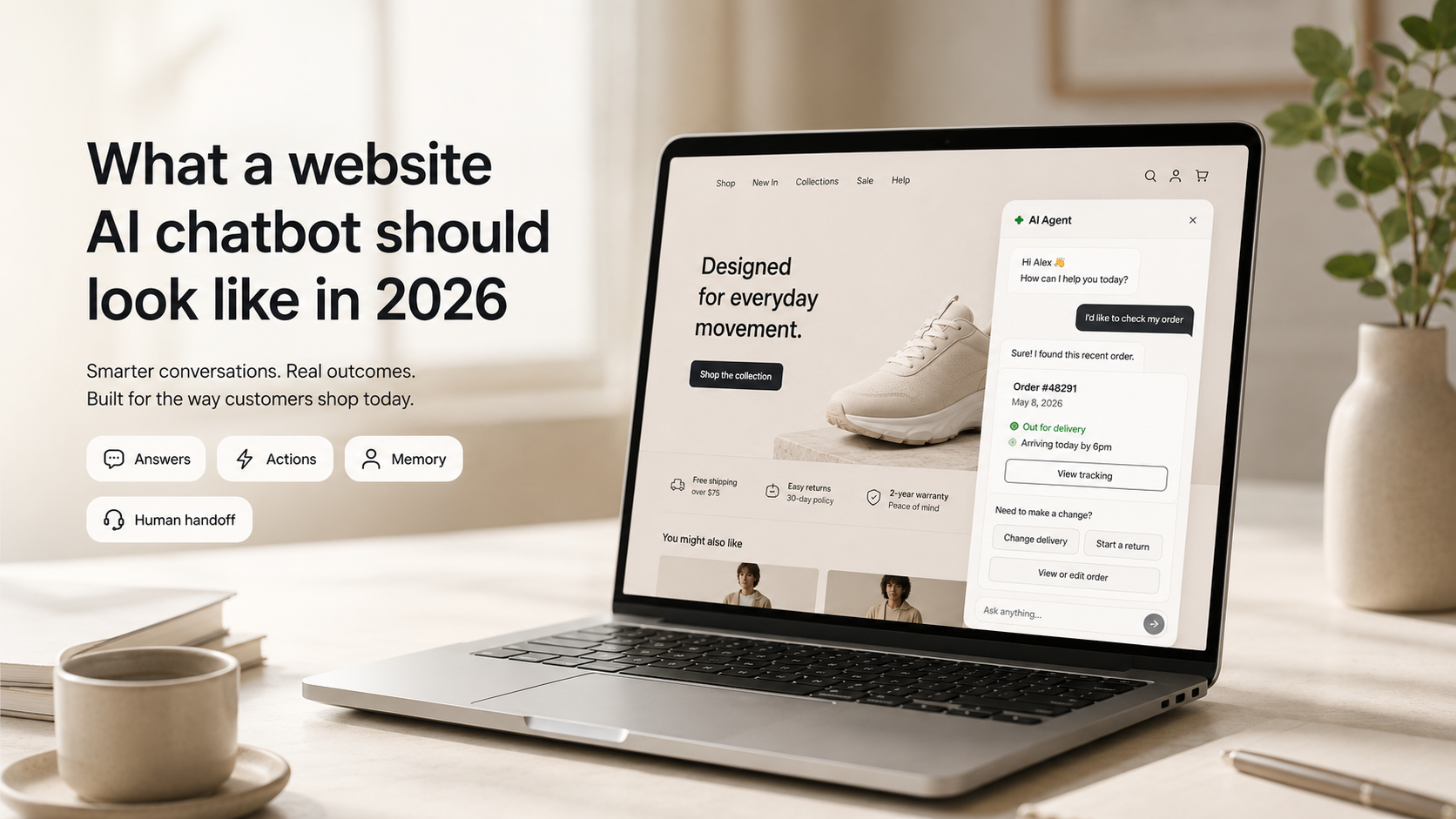
Open ten small business websites right now. Nine of them have the same chatbot in the bottom-right corner — cheerful bubble icon, “Hi! How can I help you today?”, three preset buttons that funnel you into a contact form. You’ve seen it. Your customers have learned to ignore it.
That widget made sense in 2019. In May 2026, every time a visitor opens it and gets “Sorry, I didn’t understand that”, you lose a little more trust — and often a sale.
The real cost of running a 2019 chatbot in 2026
Every visitor to your site has been talking to ChatGPT, Claude, or Gemini in the last 24 hours. They’ve used the AI agent on Amazon, on Shopify stores, on their bank’s app. Your widget is being graded against that whether you signed up for the comparison or not.
When the benchmark is “an AI that actually understands me” and your widget replies with a menu, the visitor doesn’t think “this chatbot is bad.” They think “this business is behind.” That feeling carries into every decision on the page — pricing, trust, willingness to enter a credit card.
A modern AI chatbot isn’t a feature anymore. It’s a signal of competence. The old widget is now an active negative one.
What changed: chatbot → LLM chatbot → AI agent
Three generations in a decade. The terminology matters when you’re shopping for tools:
- Chatbots (2016–2022) — Decision trees with a friendly mask. Off-script customers got stuck.
- LLM chatbots (2023–2024) — Language model plus your help docs. Real conversation, but still just Q&A.
- AI agents (2025–now) — Take actions, not just answer. They read your knowledge base, look up the customer’s account, check order status, process returns, and write back to your systems. Conversation is the interface, not the product.
Most small business websites are still running generation one. Their customers expect generation three.
Old chatbot vs modern AI agent
A real example: same question, two eras
Customer: “Hey, I ordered a blue one but the size is too small, can I swap it for a medium?”
Old chatbot:
“I’m sorry, I didn’t understand that. Please choose from the menu: 1. Orders 2. Returns 3. Other.”
Modern AI agent:
“Sure — I see order #4821 from May 18th, the blue cotton shirt in small. I’ve started an exchange for a medium. The replacement ships today and you’ll get a return label by email in a minute. Anything else?”
Same question. Two completely different signals about the kind of business the customer is dealing with.
The 7 things a modern website AI chatbot should do
1. Know the context — the page and the customer
If a logged-in customer opens chat, the agent already knows their name, plan, and recent orders. If a visitor is on the pricing page, the agent anticipates pricing questions. Asking “Can I have your email please?” in 2026 is like asking someone to fax their ID.
2. Answer in seconds, with sources
Streaming responses, grounded in your actual content, with citations the customer can expand: “Returns are free within 30 days — source: Returns Policy.” Sourced answers build trust faster than any chat persona ever could.
3. Take actions, not just talk
Change an address. Fetch an order. Recommend a product. Start a return. Read-only chatbots feel broken in 2026 — the whole point of using one is to resolve things, not route them.
4. Hand off cleanly when it should
The agent should know its limits. When a conversation needs a human — upset customer, edge case, anything requiring real judgment — it escalates with the full conversation history attached, so the customer never has to start over.
5. Remember across sessions
If someone comes back a week later, the agent should remember. “Hi again — were you still trying to figure out the bulk pricing question from last week?” This used to require enterprise software. Not anymore.
6. Be honest about being AI
Disclose. Be useful. Offer a human anytime. Fake personas backfire because customers eventually figure them out, and trust takes years to rebuild after that moment of recognition.
7. Wait to be needed
A great AI chatbot in 2026 is mostly invisible. It doesn’t auto-pop in the first five seconds. It waits for an intent signal — exit intent, time on the pricing page, a click. Mobile users especially punish chatbots that cover the screen or break scroll.
The anti-patterns to kill
If your current widget does any of these, it’s actively losing you trust:
- The forced menu — “Choose one: 1. Sales 2. Support 3. Other.” If your agent can read free text, let people type.
- The fake human persona — “Hi I’m Emma” when Emma is a model.
- The “I didn’t understand that” loop — Modern agents have graceful fallbacks, not menu bounces.
- The contact form disguised as a chat — If all it does is collect an email, it’s a form with extra steps.
- The heavy widget that slows your page — Page speed is a ranking and conversion factor. A bloated chatbot costs you traffic before anyone sees it.
- The bot that can’t say “no” — Making up specs, inventing discounts, promising things you can’t deliver — that’s a legal and trust problem. Grounding in your actual docs is non-negotiable.
How to evaluate an AI chatbot in 30 minutes
Skip the sales call. Spin up a free trial and run these seven checks:
- 1
Point it at your website and help docs.
If onboarding takes longer than an afternoon, it’s built for enterprises — move on.
- 2
Ask 10 of your most common customer questions.
How many does it answer correctly, with sources?
- 3
Ask something obscure it shouldn’t know.
Does it say “I don’t know, let me get a human” — or does it confidently make something up? This is the single most important test.
- 4
Try to make it do something.
Fetch a test order, change a setting. Can it take actions, or only read?
- 5
Test the handoff.
Trigger an escalation. Does the human receive the full conversation?
- 6
Open it on your phone.
Does it cover the whole screen? Break scroll? Look like an afterthought?
- 7
Ask where your data lives.
Especially important if you’re outside the US and care about regional compliance.
If a tool fails on #3 or #5, the rest doesn’t matter. Those two are non-negotiable.
For a closer look at how Miravo handles each, see our features page.
Frequently asked questions
How much does an AI chatbot for a website cost in 2026?
For a small business doing under 1,000 conversations a month, expect roughly AED 200–800 per month (about USD 55–220), depending on the tool and how much it actually resolves. Per-resolution pricing is usually fairer for SMBs than per-seat. Treat those numbers as typical ranges, not quotes.
Is an AI chatbot worth it for a small business?
If you’re losing pre-sales questions to slow replies, or your founder is answering the same five questions every day, ROI usually shows up in the first month. If your support volume is genuinely low — under 50 tickets a month — email is still fine.
Will my customers actually use it more than email?
Most do, once it actually works. What customers hated about old chatbots wasn’t the format — it was the uselessness. A modern agent that resolves things gets used more than email in almost every SMB rollout.
Should the chatbot disclose that it’s AI?
Yes — both for trust and because key jurisdictions like the EU and California now require it. The EU AI Act (Article 50) mandates that users be told when they’re interacting with an AI system, and California’s SB 1001 requires bot disclosure in commercial contexts. Easier to bake disclosure into the design than to bolt on a warning later.
Do I need a separate chatbot for sales and support?
No. The 2026 pattern is one agent that handles both and routes internally based on intent. Two widgets confuse customers and split your data.
How often does the agent need to be retrained?
Continuously, automatically. If your tool requires you to “retrain” or “reindex” on a schedule, it’s a generation behind.
What to do this week
Open your website on your phone. Tap the chat icon. Ask three real questions:
- 1A simple product question.
- 2A specific question about your business — your return window, your shipping zones.
- 3Something it shouldn’t be able to answer.
If the answers are slow, generic, or invented, your widget is the 2019 model. Your customers can tell.
The good news: replacing it is cheaper, faster, and lower-risk than it’s ever been.
Try Miravo AI
A website AI agent that ships in an afternoon.
Miravo reads your content, takes actions in your tools, and meets the bar your customers are already comparing you to. Try it free, no credit card required.